What Is ICCID for SIM and eSIM in 2026?
Every time a smartphone connects to a cell tower, whether at home or abroad, the mobile carrier's equipment requests a 20-digit serial number from the communication module. In telecommunications, this number is known as ICCID. If the code is transmitted correctly, the network grants access to the paid data plan.
What Is ICCID and Where Is It Used?
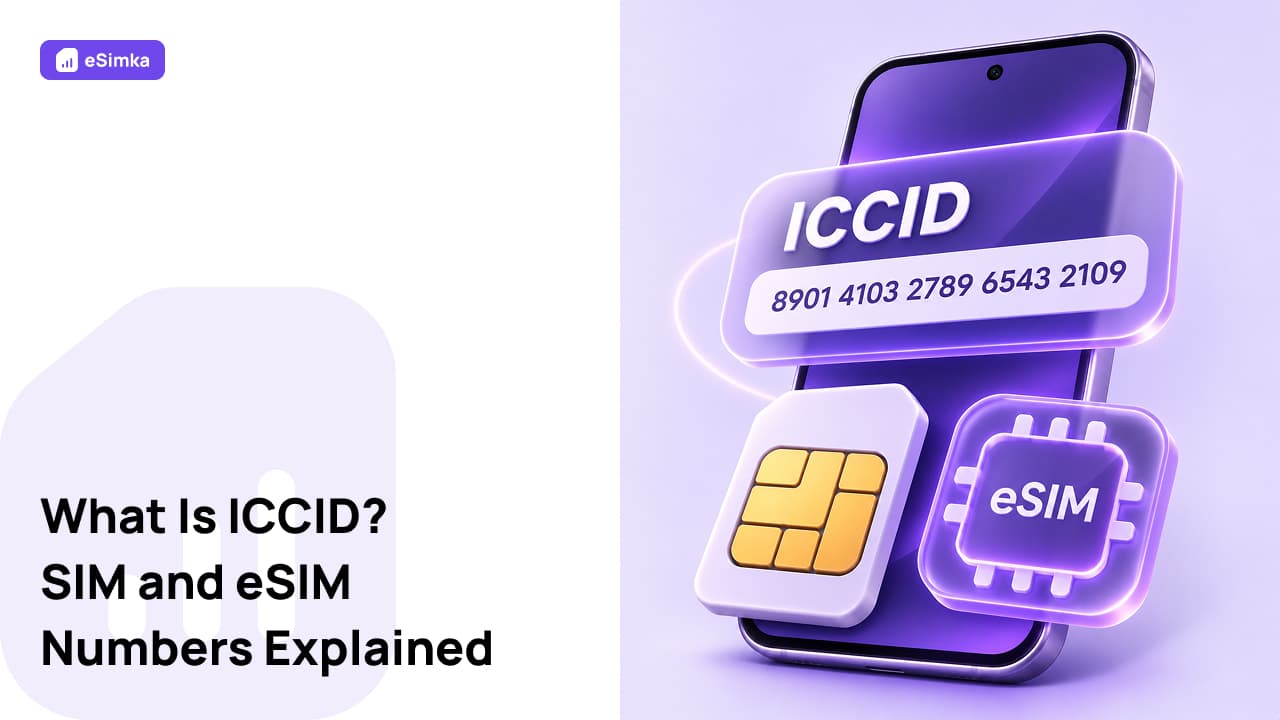
When setting up mobile internet while traveling, people often search online for "what is ICCID" or ask customer support what the SIM card number in their smartphone's system settings means. The abbreviation stands for Integrated Circuit Card Identifier — a unique serial identifier. It is either programmed into the chip of a physical SIM card at the factory or generated when a digital eSIM profile is issued. You cannot make calls using this identifier. For a mobile carrier, it serves three technical purposes: SIM card management, plan assignment, and data traffic routing while roaming internationally.
The structure and processing rules for this code are defined by the International Telecommunication Union (ITU-T) standard. When you purchase a travel plan, the billing system links the payment and data allowance directly to this numeric combination.
In a cellular network, this serial number is used for four standard operations:
- Registering a physical SIM chip or digital profile on home and visited networks as the primary identifier.
- Transferring a subscriber's phone number to another carrier through the MNP procedure, blocking the old card and transferring the balance to the new one.
- Blocking a lost card and issuing a replacement while keeping the existing plan.
- Authorizing an internet session when connecting to cell towers abroad.
Understanding the Digits in an ICCID Code
Remove the physical SIM card from your phone's tray — you will see a long string of numbers printed in small text. Travelers often need to find out what the numbers printed beneath the provider's logo mean and what the digits on a SIM card represent when they need to manually verify their profile details. Under the ITU-T E.118 standard, this code contains 19 or 20 digits. The combination is divided into meaningful sections that show who issued the module and in which country.
A 20-digit identifier is the easiest to break down: it consists of four sections.
Industry Prefix and Country Code
Every telecommunications identifier begins with a two-digit industry prefix called the Major Industry Identifier (MII). For physical SIM cards and digital eSIM profiles, the international regulator has assigned the common prefix 89. If a code starts with different digits, it belongs to a bank card, access pass, or chip from another industry.
The prefix 89 is followed by one to three digits representing the telephone country code where the provider that issued the profile is registered. These values correspond to international dialing codes: 1 for the United States and Canada, 44 for the United Kingdom, and 852 for Hong Kong. Travel eSIM traffic usually passes through international hubs. Therefore, even when a single plan covers ten countries, this section contains the identifier of the European or Asian provider whose gateways route the traffic.
Mobile Carrier Identifier and Check Digit
The third section contains the code of the issuing company (Issuer Identifier Number) and the serial number of the SIM itself. The carrier identifier takes up one to four digits. These numbers tell the cell tower which billing system to contact to verify the subscriber. The next 12–14 digits make up the provider's internal profile serial number. It contains information about the year of issue, production batch, and server storage location.
The final position is reserved for a single check digit. It is calculated using the Luhn algorithm based on the preceding eighteen or nineteen characters. When the code is entered manually or sent to a support chat, a script compares the final digit with the calculated value. If there is a typo in the long string, the verification process will detect it immediately.
Why Travelers Need ICCID When Setting Up an eSIM
At home, you can go years without paying attention to your SIM card's technical details. Things are different when traveling: people often download two or three digital profiles onto their phones for different countries on their itinerary. Smartphones assign default labels such as "Secondary," "Additional," or "Travel." When switching mobile data on the go, it is easy to select the wrong line.
Activating an International Data Plan and Verifying the Profile
Immediately after paying for a plan through the eSIM travel service еСимка, you receive a QR code. It downloads a profile for the selected country to your smartphone — there are more than 150 countries in the catalog. You can pay for your order with a Russian bank card. Installation takes just a couple of minutes. There is no need to visit a mobile carrier store or remove your primary home SIM card from its tray. The email containing the QR code and your account dashboard include a technical summary of the order, including the ICCID number of the purchased profile.
Checking this code as soon as you land helps prevent two common mistakes. Open the cellular plans section in your phone settings, compare the last four digits of the identifier with your order confirmation, and enable data on the correct line. Have you purchased two plans from еСимка at once — for example, a short plan for a layover lasting a couple of days and an unlimited plan for your main trip? Checking the digits will help you avoid activating the second plan too early.
Contacting еСимка Customer Support When Setting Up Your Connection
Technical support cannot find a travel profile in its database using a regular subscriber phone number. These plans are designed for internet access only and do not include voice service or a phone number. The carrier's system tracks purchases strictly by the profile's serial code.
Therefore, when contacting еСимка support through chat, send your ICCID as text or attach a screenshot of the "About This Device" section. Using the 20-digit code, an engineer can check the installation status, registration with a local cell tower, and remaining data allowance in about a minute. If the session is stuck, they can restart it through the overseas partner's switch.
How to Find Your ICCID Number on Your Device
Mobile operating system developers hide hardware identifiers deep in the system menus so smartphone owners do not confuse them with regular phone numbers in their contacts. The steps depend on the operating system and whether the profile is currently enabled.
Finding ICCID in iPhone and iPad Settings
In current versions of iOS and iPadOS, network details are grouped in one section. To find the code of an active or simply enabled profile on an iPhone, follow these four steps:
- Open the system Settings and select General.
- Tap the top option, About.
- Scroll down to the section containing your physical SIM card and downloaded digital plans.
- Under the required travel profile, press and hold the 20-digit code next to the ICCID label. The number will be copied to your clipboard.
There is one detail to keep in mind in iOS. If you turn off an eSIM line using the toggle in the Cellular section, its serial code will disappear from the About menu. Turn the required plan back on, and the identifier will reappear. The code will be visible in the menu even at home, without connecting to an overseas cell tower or registering on a network.
Checking ICCID on Android Smartphones (Samsung, Xiaomi, Pixel)
On Android smartphones, menu names vary depending on the manufacturer's interface. For Google Pixel and devices running stock Android, the path is as follows: open Settings — About phone, go to SIM status, and find the required identifier in the list. Sometimes this screen only displays signal strength and the carrier's name. In that case, open the adjacent Network & Internet menu — the serial number is often hidden directly in the eSIM profile settings.
On Samsung devices running One UI, the path is different: Settings — the bottom About phone option — Status — SIM card status. On Xiaomi, Redmi, and Poco devices running MIUI or HyperOS, the path is: Settings — About phone — All specifications and features — General information. Some manufacturer-specific interfaces hide this 20-digit identifier completely. In that case, free apps from Google Play can help, such as Device Info or the SIM Card Info utility for reading SIM card details. These apps communicate directly with the radio module and display identifiers for all active slots on a single screen.
Where to Find the Code on a Physical SIM Holder and in Your Account
What should you do if your smartphone has run out of battery, is broken, or cannot connect to a network, while customer support is asking for your SIM card details? On traditional physical SIM modules, the serial identifier is laser-etched directly onto the plastic base around the gold contacts. It is also printed in large text next to the barcode on the original plastic SIM holder, which is the size of a bank card and from which you punched out the chip when purchasing it.
Digital profiles do not have a plastic base. If you purchased international mobile internet through еСимка, log in to your account on the website or open the order confirmation email. The ICCID code is printed directly below the QR code, where you can easily copy it at any time.
Differences Between ICCID, EID, IMSI, and IMEI
The system menu displays three other long numeric identifiers next to the SIM card code. These are often confused when contacting customer support. However, each of the four parameters is associated with a different component of the mobile communication system.
Let's look at what all four network identifiers are used for and determine which one the carrier requests:
- ICCID (19–20 digits, starting with 89) — the unique serial number of a physical SIM chip or digital eSIM profile. Essentially, this is the registration number under which the SIM card is listed in the mobile carrier's database.
- IMEI (15 digits) — the hardware identifier of the radio module inside the phone, tablet, or modem. Devices with two active lines display two codes in their settings: IMEI 1 and IMEI 2. This number is programmed into the device's system board at the factory and does not change when SIM cards are swapped.
- EID (32 digits) — the factory-assigned serial number of the eUICC chip, which is soldered onto the smartphone's board and stores digital profiles. When you delete a used travel eSIM and download a new one from the еСимка catalog, the ICCID code changes, while the 32-digit EID of the built-in chip remains the same.
- IMSI (up to 15 digits) — the internal subscriber network identifier (International Mobile Subscriber Identity), stored in the profile's memory together with encryption keys. Cell towers allow a phone onto the network using the combination of IMSI and IMEI, but this parameter is hidden in the smartphone's user settings.
What to Do If Your Smartphone Cannot Detect ICCID After Installation
Sometimes, after scanning a QR code or dropping a smartphone, the settings display a message instead of the identifier's digits: "No SIM Card," "Unknown," or "ICCID Not Found." This means the radio module has lost contact with the physical chip or an error occurred while downloading the digital profile.
You can restore the module's functionality by following these steps:
- Turn on Airplane Mode for 15–20 seconds, then turn it off so the modem can scan the slot and built-in chip again.
- Open the cellular settings and check the toggle for the required eSIM profile: the system cannot read data from inactive lines.
- Restart your phone to clear the software cache of the network modules.
- If the problem is with a physical SIM card, use a paperclip to remove the tray, wipe the contact area with a dry, lint-free cloth, and carefully reinsert the chip.
- Do not manually delete a digital eSIM profile from your smartphone settings. Almost all installation QR codes can only be used once, so you will not be able to download a deleted profile again without requesting a replacement.
- Take a screenshot of the settings screen, find your order number in your еСимка account, and contact support via chat. The specialists will check the line status on the server side.
Frequently Asked Questions (FAQ)
Is the ICCID the Same as the SIM Card's Phone Number?
No, these two codes do not share a single digit. A regular subscriber phone number (known in technical standards as MSISDN) is used by carriers only to route calls and text messages. Subscribers have the right to transfer it to another carrier or assign it to a new physical SIM card. The serial identifier, however, is permanently assigned to a specific physical SIM chip or downloaded eSIM file. Most travel data plans do not include a voice phone number at all — the network recognizes them only by their 20-digit identifier.
Does ICCID Affect Roaming?
Directly. When abroad, your smartphone connects to a local cell tower, and the visited network reads the first six or seven digits of the code. Using these digits, the equipment identifies the country and the profile's issuing carrier, checks the roaming agreement between the companies, and grants access to mobile internet.
Is It Safe to Share Your ICCID Number?
It is safe to share this identifier with your mobile carrier's employees or еСимка support team when troubleshooting a connection. However, you should not post screenshots containing the code in public chats or on social media. With this sequence and your personal information, scammers may attempt to issue a replacement SIM or swap your card using social engineering.
Does ICCID Change When You Replace a SIM Card?
Yes, every time a replacement is issued. Whether you get a new physical SIM card at a carrier's store to replace a lost one or receive a fresh QR code for a new phone, the carrier registers the new card's 20-digit code in its billing system and deactivates the old one. Your plan and account balance are transferred to the new card.
Can You Track a Lost Phone Using ICCID?
You cannot locate a stolen or misplaced device yourself using this identifier. The code identifies only the SIM card while it is registered with a cell tower. Simply removing the physical SIM card from its tray or disabling the profile in the menu will disconnect it. That is why the police and device-tracking services use the smartphone's hardware IMEI number, as well as Apple Find My and Google Find My Device.
What Does ICCID Mean in a Vehicle Registration Certificate?
In vehicle documents, this 20-digit code refers to the serial number of the SIM card or chip soldered inside the ERA-GLONASS emergency response unit. The emergency terminal in a car operates using standard cellular communication protocols. Therefore, when registering a vehicle, dealers and inspectors enter the communication module's identifier into the electronic vehicle passport.