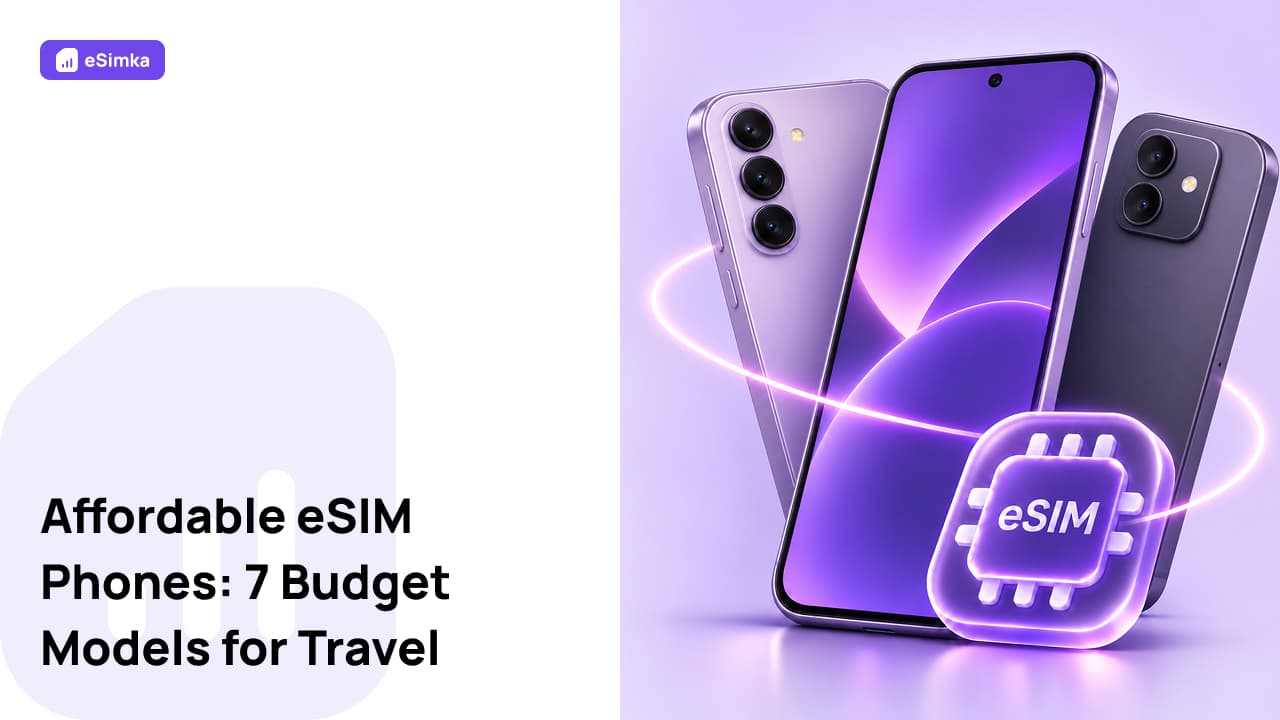
Affordable eSIM Smartphones: Top Budget Models for Travel in 2026
Instead of buying flagship phones that cost 100,000 rubles or more, you can choose affordable smartphones with eSIM support. This can save you tens of thousands of rubles on roaming charges. Electronics manufacturers have already brought built-in connectivity modules to the entry-level segment, so an eSIM-compatible phone can now cost about as much as an ordinary holiday travel pass.
What Is an eSIM and Why Is It Useful When Traveling Abroad?
Engineers solder the embedded SIM chip directly onto a device's motherboard during manufacturing. You download a digital mobile carrier profile to this rewritable module over the internet, without needing plastic cards or a SIM tray ejector tool. The chip's memory can store data for several mobile network providers at once.
Travelers save time and money on every flight. You no longer need to look for kiosks at the airport, wait in line with your passport, or pay your home carrier extra for roaming. The eSimka travel eSIM service provides a ready-to-use profile via QR code for 150 or more countries immediately after purchase, and you can pay with Russian bank cards. Plans are available for all kinds of trips, from short packages lasting a few days to unlimited data options. Activation takes just a couple of minutes — there is no need to visit a mobile carrier store or remove your primary SIM card.
With affordable eSIM smartphones, travelers can keep their home physical SIM card in the first slot to receive banking verification codes while using the downloaded digital profile for mobile data.
Top 7 Affordable Smartphones with eSIM Support in 2026
In 2025 and 2026, mobile electronics manufacturers began widely adding digital SIM support to entry-level and mid-range phones. We have put together a selection of budget phones that can download virtual SIM profiles. Their fifth-generation networks work without software glitches, and a single charge lasts until the evening.
Motorola Moto G55 5G
Motorola was one of the first manufacturers to add digital profile support to its most affordable devices. If you need the cheapest eSIM phone for travel, take a look at the Moto G55 5G.
The device offers 8 or 12 GB of RAM, a clean Android operating system without heavy graphical interfaces, and a large 5,000 mAh battery. A regular physical SIM card fits into the hybrid slot, while the built-in chip provides a second line for mobile internet abroad. The back panel is covered in eco-leather, so the phone does not slip out of your hand, even during long walks.
Samsung Galaxy A36 5G
The Korean manufacturer long reserved virtual SIM cards for its flagship Ultra lineup but eventually changed its approach. Today, affordable eSIM smartphones are also available in the mainstream A series. The Samsung Galaxy A36 5G is a good example.
The AMOLED display with a 120 Hz refresh rate remains readable in direct sunlight, while the body is protected against dust and water to the IP67 standard. The manufacturer promises several years of operating system updates and security patches for the entire lineup. Switching between SIM cards in the One UI interface takes just two taps.
Xiaomi Redmi Note 14 Pro 5G
Chinese brands add digital modules to their popular smartphones depending on the country where the devices are sold. The global version of the Xiaomi Redmi Note 14 Pro 5G supports virtual profile downloads out of the box. Its 200 MP camera with optical image stabilization is designed to capture sharp travel photos.
Fast charging takes the battery from zero to 100% while you enjoy your morning coffee at the hotel. Be sure to check the factory model code on the box before paying. You specifically need the Global version: devices intended for the Chinese and Indian markets usually do not have this chip.
Google Pixel 8a
This compact phone from the search giant is designed for high-quality mobile photography and reliable network reception. At its full retail price, it is more expensive than the entry-level models on our list, but discounts during 2026 sales bring it into the affordable eSIM smartphone category.
The connection remains stable, the built-in camera scans QR codes instantly, and the SIM card menu is simple and easy to understand. In low light and at night, the Google Pixel takes photos comparable to those produced by expensive camera phones. The compact device easily fits into a shorts pocket or a small waist bag.
Honor 200 Lite
This smartphone with virtual SIM support weighs just 166 grams. Its body is slim and does not put any noticeable strain on your hand. The screen is bright and has a high PWM dimming frequency, which helps reduce eye fatigue when reading travel guides or planning routes in the evening.
The built-in 256 GB of storage is enough to keep thousands of photos and offline maps for several countries. The MagicOS interface runs smoothly and allows you to separate voice calls and mobile data between different lines in just a couple of seconds.
Realme 13+ 5G
This Asian smartphone combines a fast processor with an effective cooling system. Whether you are gaming while traveling or editing videos for social media, this affordable phone does not overheat.
eSIM support is enabled through additional network settings. Once activated in the SIM card menu, the second physical SIM slot is disabled and its line is taken over by the virtual module. Fast 80 W charging is especially useful during a short airport layover: just fifteen minutes at a power outlet is enough to replenish the battery.
Apple iPhone SE (3rd Generation)
If you do not want to pay extra for the latest numbered iPhone series but prefer Apple hardware, the compact iPhone is worth considering. The third-generation model, powered by the A15 Bionic processor, handles navigation and banking apps with ease.
On the second-hand market and in the remaining stock at major retail chains, this compact device falls into the cheap eSIM smartphone category. It has a small screen and retains the Home button below it. However, its memory can store up to eight digital profiles, and its roaming connection remains stable.
Comparison of Budget Smartphone Specifications and Prices
To help you quickly compare the eSIM smartphones in our selection before buying, we have compiled their key specifications into a single list. The exact price depends on the retailer and storage capacity, so we have indicated the price segments relevant to 2026.
- Motorola Moto G55 5G — 120 Hz IPS display, 8/256 GB of memory, 5,000 mAh battery, and 30 W charging. Connectivity: Nano-SIM slot plus a virtual profile. Category: ultra-budget.
- Samsung Galaxy A36 5G — 120 Hz Super AMOLED display, 6/128 or 8/256 GB of memory, 5,000 mAh battery, and 25 W charging. Connectivity: physical Nano-SIM plus a digital profile. Category: mid-budget.
- Xiaomi Redmi Note 14 Pro 5G (Global) — 120 Hz AMOLED display, 8/256 and 12/512 GB versions, 5,110 mAh battery, and 45 W charging. Connectivity: Nano-SIM slot and virtual SIM card. Category: mid-budget.
- Google Pixel 8a — 120 Hz OLED display, 8/128 or 8/256 GB of memory, 4,492 mAh battery, and 18 W charging. Connectivity: one Nano-SIM and a built-in digital module. Category: discounted sub-flagship.
- Honor 200 Lite — 90 Hz AMOLED display, 8/256 GB of memory, 4,500 mAh battery, and 35 W charging. Connectivity: physical Nano-SIM plus a virtual chip. Category: affordable.
- Realme 13+ 5G (versions with the chip) — 120 Hz AMOLED display, 8/256 or 12/256 GB of memory, 5,000 mAh battery, and 80 W charging. Connectivity: the second slot switches to digital mode. Category: affordable.
- Apple iPhone SE (2022) — 60 Hz IPS display, 64, 128, or 256 GB versions, 2,018 mAh battery, and 20 W charging. Connectivity: one Nano-SIM and one or two active digital profiles. Category: entry-level iOS.
How to Check Whether a Smartphone Supports eSIM Before Buying
When buying affordable eSIM smartphones second-hand or through online marketplaces, you may accidentally end up with a version that does not have a built-in chip. Even when the name on the packaging is exactly the same, the internal hardware can vary depending on the sales region.
Key Differences Between Regional Versions (China, Global, EAEU)
The main thing to remember is that devices intended for mainland China (marked CN), as well as iPhone versions from Hong Kong and Macau with two physical SIM slots, do not support virtual SIM cards. Local telecommunications regulators prohibit this feature in subscriber devices.
The same applies to Xiaomi and Realme devices intended for the Indian market and some Latin American countries. The eUICC module is not soldered onto the motherboard at the factory, saving a couple of dollars during assembly. For travel, choose global versions (Global Version / EU) with the CE marking on the body, devices with EAEU certification (RST), or versions intended for the European, US, Japanese, and South Korean markets.
*Checking Through Settings and the #06# USSD Code
The most reliable way to check a smartphone is directly at the pickup point before paying, using its built-in phone app. Open the dialer and enter *#06#. A screen will appear showing the device's IMEI numbers and serial number.
Look for the EID (Embedded Identity Document) entry in the list. It should contain a 32-digit code. The presence of this long code confirms that the chip is soldered onto the motherboard and is functioning. It is also worth checking the system menu to make sure the necessary options are available. On Android devices, go to Settings, open Network & Internet or SIM Manager, and look for Add eSIM (sometimes hidden under Mobile Network). On iOS, open the Cellular menu — the Add Cellular Plan option should be available there.
Step-by-Step Guide to Installing and Setting Up a Travel eSIM
If you have successfully checked that your affordable smartphone supports eSIM, the next steps are simple: choose a country on the eSimka website, pay for the package with a Russian bank card, and receive an email with the setup details. Download the profile in advance, either at home or at your hotel, where you have access to a reliable Wi-Fi connection.
Activating a Plan Using a QR Code or Manual Entry
To activate your purchased package, follow these instructions:
- First, connect your phone to an active Wi-Fi network. Otherwise, you will not be able to download the digital certificate.
- Open the order confirmation email from the eSimka service on a laptop, tablet, or second phone, or print out the page containing the code.
- Go to your device's cellular settings, tap the option to add a new SIM card, and point the camera that opens at the square QR code.
- If you do not have a second screen nearby, select Enter Details Manually on the scanning page and copy the SM-DP+ address and activation code from the email one by one. In recent versions of iOS and Android, you can simply save the image containing the code to your gallery and scan it directly from your device's storage.
- Give the new profile a recognizable name, such as "Holiday" or "Europe", so you do not confuse it with your home number when switching between lines.
Configuring Data Roaming for Internet Access Abroad
As soon as the plane lands, open the SIM Manager in Settings. Set the newly installed travel SIM as the primary source for Mobile Data, then disable mobile data and automatic data switching in the settings of your home physical SIM card.
Be sure to open the settings for the travel line itself and switch Data Roaming on. Many travelers are still wary of this option because of past experiences, but international travel SIMs operate through the roaming networks of local partners. Without the roaming toggle enabled, internet access on your new card simply will not work. Your primary home SIM will remain connected to the network solely to receive incoming SMS messages from banks free of charge.
Pros and Cons of Budget Phones with a Virtual SIM Card
When buying eSIM smartphones in the entry-level price segment, it is useful to know about their hardware features and compromises in advance.
What makes affordable models attractive for travel:
- Low entry cost: you can enjoy all the benefits of digital connectivity abroad without risking an expensive flagship phone during challenging hikes or at the beach.
- Large batteries: budget devices come with 5,000 mAh batteries paired with energy-efficient chips. This allows the charge to last from morning until night, even with navigation and Wi-Fi hotspot sharing enabled.
- Security in case of loss or theft: a thief cannot simply remove the card from the SIM tray, making it easier to locate the device using geolocation through a cloud service.
Technical compromises of affordable models:
- Only one digital profile can be active: unlike flagship models, budget phones rarely allow two virtual SIM cards to remain active at the same time. The standard configuration is one physical SIM card in the tray and one digital profile.
- Fewer supported frequencies: modems in the cheapest models work with a limited range of fifth-generation frequency bands. However, this is generally sufficient for reliable LTE/4G performance in tourist centers and resorts.
Frequently Asked Questions (FAQ)
Can I use an eSIM and a Nano-SIM at the same time (Dual SIM)?
Yes. Modern phones support Dual SIM Dual Standby mode, and this feature is available as standard on devices in the affordable eSIM smartphone category. The physical Nano-SIM in the tray receives calls and messages, while the digital profile provides an internet connection at lower rates abroad. Both lines operate in parallel.
Can I install multiple eSIMs on one smartphone?
The chip's memory can store between 5 and 10 virtual SIM cards for different countries, and switching between them when crossing a border is easy through the settings. However, budget devices usually allow only one digital SIM card to remain active at a time.
Can I use an eSIM if my phone is locked to a carrier?
No. A phone locked to a specific mobile carrier (Carrier Locked) will not accept profiles from other providers. Trying to scan the code will result in an error. Ask the seller to remove the restriction before your trip, or buy a device marked SIM-Free / Unlocked from the start.
How can I transfer an eSIM to a new smartphone without visiting a carrier store?
For travel SIM cards, everything depends on the rules of the specific plan. Usually, a one-time QR code becomes permanently linked to the first device when scanned. If you delete the profile, you will not be able to activate it again on a new phone. If you are changing devices just before departure, it is easier to get a new travel profile from the eSimka website in a couple of minutes. To transfer your permanent home SIM card, request a new code through your mobile carrier's app or personal account.
Can I use an eSIM for mobile network calls and SMS messages?
The technology itself supports voice calls and SMS just like a regular physical SIM card, but everything depends on the plan you choose. Most affordable travel packages are designed specifically for mobile internet (Data Only), so it is more convenient to make calls through familiar messaging apps such as Telegram, WhatsApp, or FaceTime.
What should I do if my phone does not support eSIM?
You have two practical options: buy an affordable replacement smartphone with this feature from our ranking (you can keep your old device as a backup navigation tool), or travel with someone who has a smartphone with a built-in digital module. They can purchase a large data package or an unlimited plan through the eSimka service and share the internet with your device over Wi-Fi using the personal hotspot feature.