How to Disable Roaming on Your Phone and Set Up Mobile Internet Abroad in 2026
As soon as you cross the border, unexpected charges may start appearing on your balance. Disabling mobile data in time and getting into the habit of turning off international roaming packages can help protect your balance while traveling.
Why Disable Roaming: Types of Services and Hidden Charges
What Is the Difference Between Data Roaming and International Voice Roaming
Voice roaming is only needed to receive calls and SMS messages through local cellular towers. Data roaming is responsible for internet access: it is through this roaming connection that apps update and download email in the background.
Why Your Balance Can Be Drained Even When You Are Not Actively Using Your Smartphone
A smartphone uses megabytes on its own, even when it is simply sitting in your pocket. Just a couple of system requests may be enough for your home network to charge you for an entire day of mobile data.
How to Disable Data Roaming in Your Smartphone Settings
Step-by-Step Guide to Disabling Data Roaming on iPhone
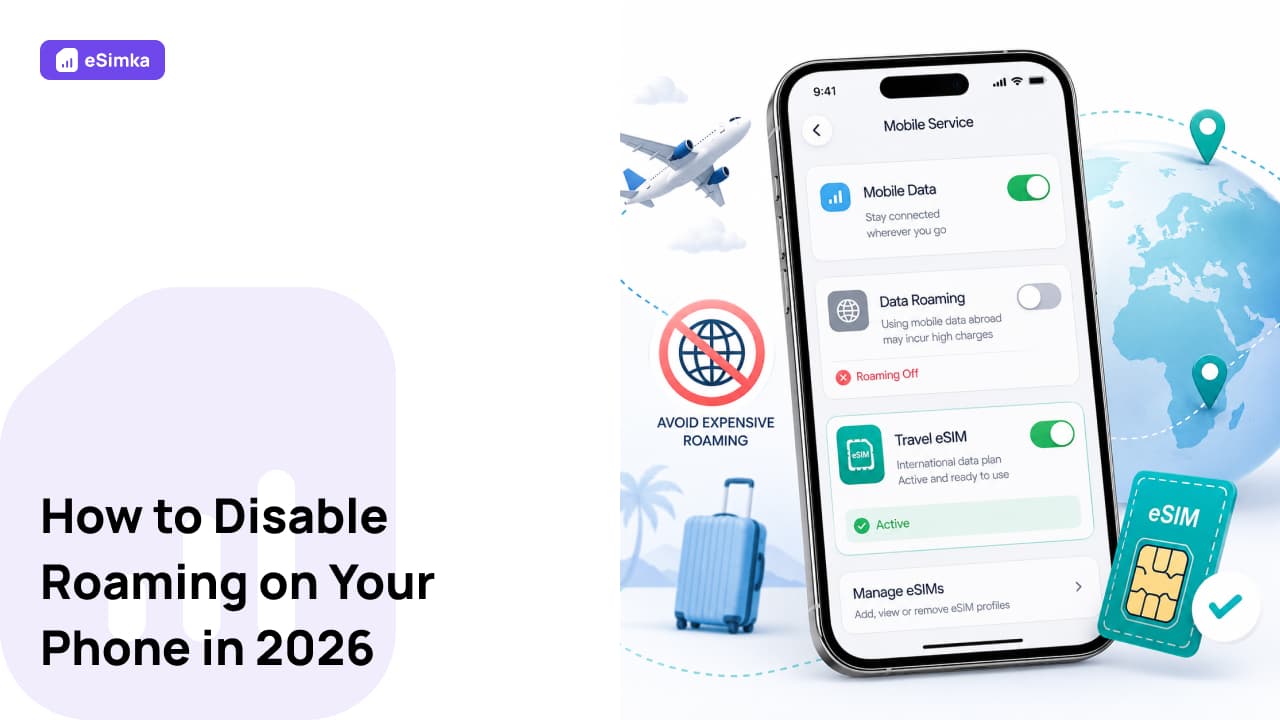
In the cellular settings, open the data options and turn off the toggle so that data roaming and any roaming abroad do not consume your money.
Disabling Mobile Internet While Roaming on Android
On an Android phone, open the SIM card management menu, go to the roaming section, and disable mobile data.
How to Disable Wi-Fi Assist and Automatic Network Updates
In the cellular settings, disable Wi-Fi Assist so that your phone does not use mobile data when the Wi-Fi signal is weak. In the network search settings, switch from automatic mode to manual network selection.
How to Disable Roaming Services Through Your Mobile Operator
Blocking International Roaming Through the Mobile App and Personal Account
Open your operator’s personal account, find the available services section, and start disabling international access outside your home country.
Disabling Roaming Using USSD Commands and Customer Support
To block international mobile services on your number, call your operator’s support service or enter the relevant USSD service command.
Blocking Paid Incoming Calls and Call Forwarding
Dial ##002# — this command immediately cancels all conditional call forwarding. This prevents a missed incoming call from resulting in charges at a double rate.
A Cost-Effective Alternative to Roaming: Internet Abroad with a Travel eSIM
Comparing the Cost per Gigabyte: International Roaming vs. Digital eSIM
Traditional mobile roaming is expensive because of high inter-operator markups. With a digital profile, you pay for a specific amount of data at a transparent price without hidden conditions.
Mobile Internet Packages from eSimka for Popular Countries in 2026
With eSimka, you can connect to affordable mobile internet in more than 150 destinations and pay with a Russian bank card. It is easy to choose the right amount of data for the exact dates of your trip without visiting mobile operator stores.
Step-by-Step Guide to Installing and Activating an eSimka Profile via QR Code
After placing your order, open your phone settings, go to the option for adding a cellular plan, and point the camera at the QR code. The connection to the local network will be established immediately after your plane lands.
How to Configure Two SIM Cards: Home Number for Banking SMS and eSIM for Data
In the cellular settings, select the eSIM for mobile internet and keep the physical SIM card enabled only for banking SMS messages.
Checklist for Preparing Your Phone Before Traveling Abroad
Disabling Background Content Updates and Cloud Synchronization
Disable automatic photo uploads to the cloud and prevent apps from using the mobile network in the background.
Switching Messengers and Navigation Apps to Offline Mode
Download offline maps in advance and disable automatic video downloads in messengers.
Frequently Asked Questions (FAQ)
Why Are Calls and Internet So Expensive in International Roaming?
A foreign provider sells mobile data to your home network at the operator’s rates, with additional fees added on top.
How Can I Check in Advance Whether Roaming Is Enabled on My Number?
Check the status of your services in your personal account after connecting them or ask your mobile operator through its customer support chat.
Can I Use a Physical SIM Card and a Digital eSIM at the Same Time While Traveling?
Yes, the device keeps both lines active: regular SIM cards remain available for calls, while the eSIM profile handles internet access.
Is It Enough to Disable Only “Data Roaming” While Keeping Mobile Data Enabled on the Primary SIM Card?
This is enough to block mobile internet abroad, but incoming voice calls may still be charged.
Why Is It Important to Disable “Cellular Data Switching” Abroad?
When the signal is weak, the phone may automatically switch to your home number, causing roaming to quietly drain your balance.
What Is eSIM Technology and How Is It Different from a Regular Physical SIM Card?
It is a chip built into the device that allows an operator profile to be downloaded digitally without using a physical SIM card slot.
How Can I Switch from a Physical SIM Card to a Digital eSIM Before Traveling?
Purchase a plan on the eSimka platform, scan the received QR code on your smartphone, and activate the profile after arrival.