How Much Mobile Data Do You Need for a Trip?
Learn how many gigabytes you need for a one-week or one-month trip and which data plan to choose for maps, messaging, video, and remote work.
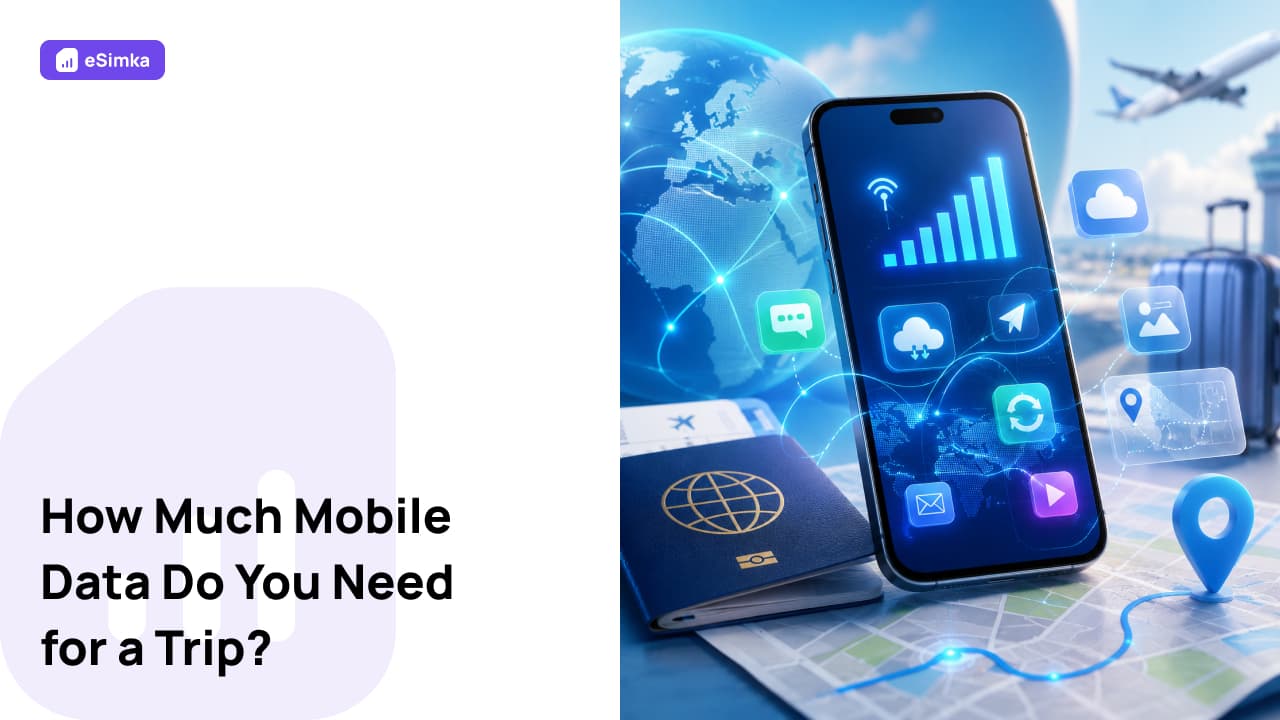
Before purchasing a travel eSIM, it is important to estimate how much mobile data you will need during your trip. A small package may run out at the worst possible moment, while paying for dozens of unused gigabytes does not make sense either.
Data usage depends on more than just the length of your trip. One traveler may only use maps, messaging apps, and booking services, while another needs video calls, social media, cloud storage, and a hotspot for a laptop. The best package should match your actual usage habits.
What Affects Mobile Data Usage?
Two travelers may spend the same number of days abroad but use completely different amounts of data.
Usage depends on:
- the length of the trip;
- the number of connected devices;
- how often you use navigation;
- video and social media consumption;
- audio and video calls;
- cloud photo uploads;
- music streaming;
- remote work;
- hotspot use for a laptop;
- automatic app updates.
Access to Wi-Fi also matters. If your hotel, apartment, and nearby cafés provide a stable connection, your mobile package will last longer. Mobile data is usually consumed more actively during road trips and journeys with frequent transfers.
How Much Data Do You Need for a One-Week Trip?
For a trip lasting 7–10 days, use the following estimates:
- 1–3 GB — maps, messaging apps, email, and checking reservations;
- 3–5 GB — daily navigation, taxi apps, messaging, and voice messages;
- 5–10 GB — social media, music, audio calls, and occasional video calls;
- 10–20 GB — regular video streaming, remote work, and frequent photo uploads;
- unlimited plan — frequent video calls, streaming, and hotspot use.
For most tourists, 5 GB is enough for one week. This amount usually covers maps, messaging apps, taxi services, online searches, and moderate social media use.
If you plan to stream videos frequently or work on a laptop, choose a package with at least 10 GB.
How Much Data Do You Need for Two Weeks?
For a 14-day trip, a small package may run out before you return home.
General recommendations:
- 3–5 GB — light usage with regular access to hotel Wi-Fi;
- 5–10 GB — maps, messaging apps, social media, and music;
- 10–20 GB — active app usage and occasional video calls;
- 20–30 GB — remote work, streaming, and hotspot use;
- unlimited package — intensive usage without constantly checking your balance.
For a typical two-week vacation, 10 GB is a reasonable choice. With stable Wi-Fi access, this amount is often more than enough.
How Much Data Do You Need for One Month?
For a longer trip, consider not only everyday smartphone use but also work, video calls, and file uploads.
General recommendations:
- 10 GB — maps, messaging apps, email, and occasional social media use;
- 20 GB — daily navigation, music, photo sharing, and audio calls;
- 30–50 GB — active social media use, video calls, and remote work;
- 50 GB or more — regular video streaming and laptop tethering;
- unlimited plan — constant online work without reliable Wi-Fi.
For a one-month stay abroad, a package with 20–30 GB is usually the most practical choice. If mobile data will be your primary internet connection, consider a large or unlimited plan.
How Much Data Do Google Maps and Other Navigation Apps Use?
Navigation apps use relatively little mobile data. Most traffic is consumed when loading new map areas, searching for locations, and updating routes.
Data usage may increase when:
- building new routes frequently;
- using satellite view;
- viewing photos and business listings;
- checking live traffic regularly;
- loading public transport information.
To reduce usage, download an offline map of the required city or region in advance. You will still need an internet connection for live traffic, current public transport schedules, and searches for new places.
Daily navigation for one week usually requires only a few hundred megabytes.
How Much Data Do WhatsApp and Telegram Use?
Text messaging uses very little mobile data. Photos, videos, documents, and calls consume significantly more.
Messaging apps use more data when you:
- watch videos in channels or chats;
- send uncompressed photos;
- download large documents;
- make audio calls;
- participate in video calls;
- enable automatic media downloads.
For text messages and voice messages, less than 1 GB is usually enough for one week. Active video calling may use several gigabytes.
Before your trip, disable automatic downloads of videos and large files over mobile data.
How Much Data Do Social Media Apps Use?
Social media can consume a data package quickly, especially when feeds include large amounts of video.
The most data-intensive features include:
- Reels and short videos;
- Stories;
- live streams;
- automatic video playback;
- photo and video uploads;
- high-quality content.
Moderate social media use may consume around 300–700 MB per day. Active video viewing can easily exceed 1 GB per day.
If social media will be your main form of entertainment during the trip, choose at least 10 GB for one week.
How Much Data Does Music Streaming Use?
Music streaming consumes less data than video, but daily listening can still add up.
Usage depends on audio quality. The higher the bitrate, the faster your package will run out.
To reduce data consumption:
- download playlists in advance;
- select standard audio quality;
- disable automatic video and artwork downloads;
- download podcasts over Wi-Fi.
Listening to music for several hours per day may use 1–3 GB per week, depending on the selected quality.
How Much Data Does Video Streaming Use?
Video is one of the most data-intensive activities.
Approximate usage depends on video quality:
- low quality — several hundred megabytes per hour;
- standard quality — approximately 0.7–1.5 GB per hour;
- Full HD — several gigabytes per hour;
- 4K — several gigabytes in a relatively short time.
The exact amount depends on the app, quality settings, and compression technology.
If you plan to watch films, TV shows, or long videos, download them over Wi-Fi before your trip. Even a large package can run out after several evenings of active streaming.
How Much Data Do Video Calls Use?
Data consumption depends on the video quality, number of participants, and app being used.
A standard video call may use anywhere from several hundred megabytes to 1–2 GB per hour. Group conferences and higher video quality require more data.
A 5–10 GB package may be enough for several short video calls per week. For daily work meetings, choose at least 20 GB or an unlimited plan.
Use Wi-Fi whenever possible and turn off your camera when video is not required.
How Much Data Do You Need for Remote Work?
Remote work data usage depends on your tasks.
Relatively little data is required for:
- email;
- messaging apps;
- text documents;
- CRM and browser-based services;
- task managers and calendars.
Much more data is used by:
- video conferences;
- cloud synchronization;
- presentation uploads;
- large file transfers;
- remote desktop access;
- software updates;
- backups.
For light work during a one-week trip, 5–10 GB may be enough. For regular video calls and file transfers, choose at least 20 GB.
How Much Data Do You Need for a Laptop Hotspot?
When using your smartphone as a hotspot, a laptop can consume data much faster than the phone itself.
Common reasons include:
- automatic operating system updates;
- cloud storage synchronization;
- backup uploads;
- video conferences;
- full desktop versions of websites;
- large file downloads;
- video streaming.
Before connecting your laptop, disable updates and background synchronization. For occasional work, 10–20 GB may be enough. For regular use, choose a larger package.
Also check whether your plan allows hotspot tethering. Some providers restrict it even on unlimited packages.
How to Choose an eSIM Data Package
Before purchasing a travel eSIM, check:
- the included data allowance;
- the validity period;
- country or regional coverage;
- available connection speed;
- 4G and 5G support;
- hotspot availability;
- daily limits;
- speed reduction conditions;
- top-up options;
- when the plan is activated.
For a short trip without video streaming, 3–5 GB is often enough. For active smartphone use, choose around 10 GB. Remote work and streaming may require at least 20 GB.
What Does Unlimited Data Mean?
The term “unlimited” does not always mean that you receive unrestricted data at maximum speed.
Possible limitations include:
- a fixed amount of high-speed data per day;
- reduced speed after reaching a daily limit;
- hotspot restrictions;
- limited video quality;
- a fair usage policy;
- speed restoration only on the following day.
Read the plan description carefully before purchasing. A 20 GB package without speed restrictions may sometimes be more practical than an unlimited plan with strict daily limits.
How to Reduce Mobile Data Usage
To make your package last throughout the trip:
- download offline maps;
- download music and video in advance;
- disable automatic app updates;
- prevent backups over mobile data;
- disable automatic media downloads;
- enable Low Data Mode or Data Saver;
- use Wi-Fi for video calls;
- reduce streaming video quality;
- restrict background app activity;
- check your remaining data regularly.
It is especially important to disable automatic cloud photo uploads. After a busy sightseeing day, your smartphone may attempt to upload several gigabytes of photos and videos.
What to Do If You Run Out of Data
First, open the eSIM provider’s app or account dashboard and check whether you can top up the package.
Depending on the plan, you may be able to:
- purchase additional data;
- extend the current package;
- purchase a new eSIM;
- switch to another plan;
- use Wi-Fi temporarily.
Do not delete the installed eSIM profile until you confirm that the package cannot be topped up. Some eSIMs can only be installed once, and the same QR code may not work again.
Frequently Asked Questions
How Many Gigabytes Do I Need for One Week?
For maps, messaging apps, and checking reservations, 3–5 GB is usually enough. For social media, music, and video calls, choose 5–10 GB.
Is 1 GB Enough for a Trip?
1 GB may be enough for a few days of light usage, including maps, text messages, and email. It is usually not enough for a full one-week trip.
Is 5 GB Enough for One Week?
Yes, provided that you mainly use maps, messaging apps, taxi services, and social media in moderation. Frequent video streaming will use the package much faster.
Is 10 GB Enough for Two Weeks?
For most tourists, yes. If you frequently stream videos, make video calls, or share your connection, choose a larger package.
How Much Data Do I Need for One Month?
For regular usage, you may need around 20–30 GB. For remote work and frequent video streaming, choose at least 50 GB or an unlimited plan.
What Uses the Most Mobile Data?
The most data-intensive activities are video streaming, video calls, short-form social media videos, cloud synchronization, and hotspot tethering.
Do Offline Maps Save Data?
Yes. Downloading maps in advance significantly reduces data usage. However, you will still need internet access for live traffic, current routes, and business searches.
Can I Purchase More Data?
This depends on the provider and selected plan. Check whether top-ups are available before purchasing the eSIM.
Should I Choose an Unlimited eSIM?
An unlimited plan is convenient for heavy usage, but check the speed restrictions, daily limits, and hotspot conditions before purchasing.
How Can I Check How Much Data I Have Left?
The remaining balance is usually displayed in the provider’s app or account dashboard. You can also check mobile data usage in your smartphone settings.