eSIM or Physical SIM Card: Which Is Better in 2026
If you are choosing a mobile connection format for travel and everyday life in Moscow, you are probably asking: how is eSIM different from a regular SIM card? In this article, you will get a clear picture of the capabilities, limitations, and setup process, as well as checklists for departure and arrival. The text is aimed at travelers and users who want stable mobile internet abroad without unnecessary spending.
In Brief: What eSIM and a Physical SIM Card Are
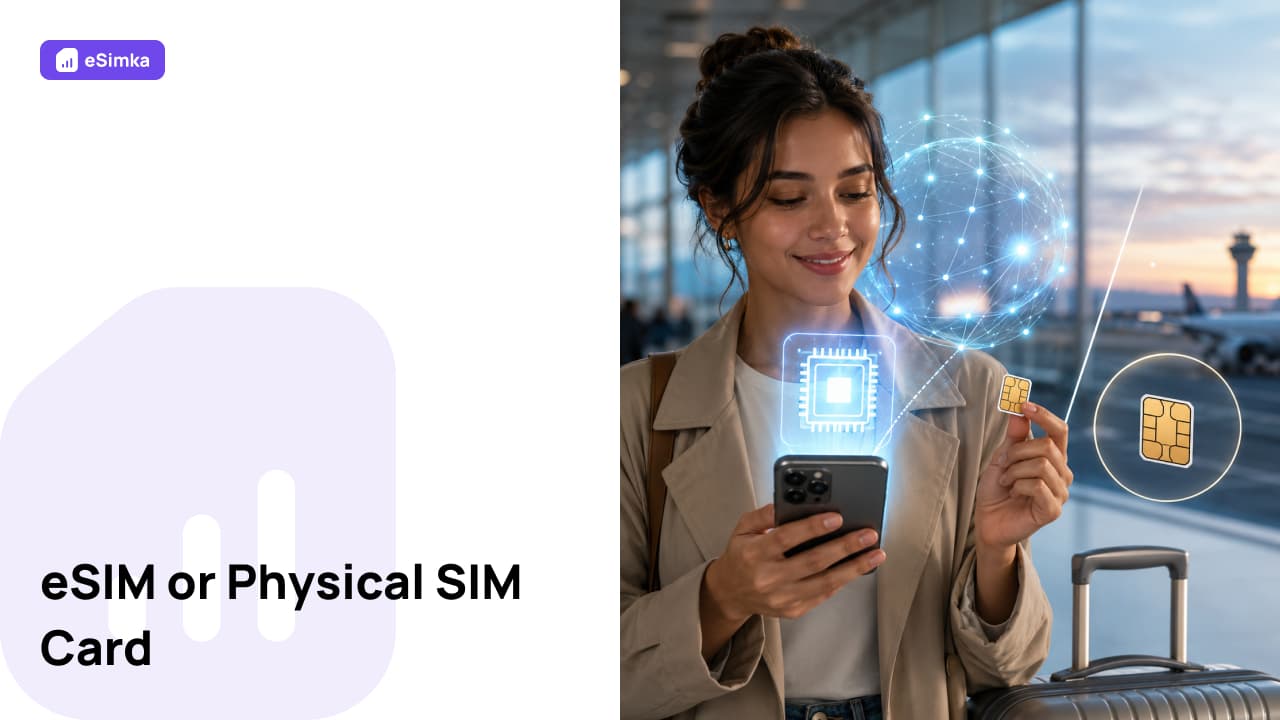
- eSIM is a built-in chip in the phone where a carrier profile is downloaded using a QR code.
- A physical SIM card is a plastic carrier inserted into the device tray.
- Speed and voice services are determined by the carrier network, not by the card format itself.
- An eSIM profile is easier to switch between plans and countries in the phone settings.
- A physical carrier is convenient if the device is old or eSIM services are unavailable.
- In Russia, eSIM support depends on the model, region, and service provider policy.
How eSIM Works
The built-in module stores several profiles and activates the required one through the “Mobile Network” settings. A QR code, manual parameter entry, or a link is used for downloading. The connection requires internet access, so enable Wi-Fi in advance and prepare the phone unlock code. Transfer between devices requires profile reissue from the service provider, since direct copying is usually blocked.
How a Physical SIM Card Works
A plastic card contains the subscriber identifier and keys for registering on the network. The user inserts the carrier into the slot, enters the PIN, and enables mobile data. When changing devices, transfer is physical: you need to remove the card from the tray and insert it into another phone. For protection, enable a PIN so network access is blocked if the phone is lost.
The Difference and Similarities Between eSIM and SIM — How eSIM Differs from a Regular SIM Card
Form Factor and Installation
The first is digital, the second is plastic. For a profile without a physical carrier, you need a QR code and internet access; the process takes 2–5 minutes in the “Cellular” section. A card is inserted into the tray using an ejector tool, then PIN is enabled in the security menu. While traveling, a profile without plastic is convenient: there is no risk of losing a tiny carrier in an airport or taxi.
Activation, Transfer, and Profile Management
A profile without plastic is easy to switch between plans for different countries in one menu. Reissue when changing phones is handled by the service provider through the account dashboard or support. A plastic carrier is moved manually using the slot, without service involvement, but only one can be used at a time. For backup options, you can keep a second card in a wallet case.
Device Compatibility and Carrier Support
Support for a profile without plastic is available in most modern smartphones, tablets, and some laptops. In Moscow, it usually works on flagship and mid-range devices from recent years. An older model without the module will require a plastic card. Before connecting, open “About Phone” and check for the “eSIM/digital SIM” line in the connection section.
Similarities in Network Operation and Services
Voice, SMS, and mobile internet depend on the network, not on the carrier format. Signal quality, speed, and latency are determined by coverage and base station load. In rare cases, differences are caused by carrier settings, but not by the format. So compare not only the carriers themselves, but also the conditions of the specific network in the required region.
Pros and Cons: Which Is Better — SIM or eSIM
Advantages of eSIM
Fast installation by QR code without visiting an office, saving time at the airport. You can store several profiles and switch countries in two taps, which is a convenient scenario for travelers. There are no risks with the tray and microscopic plastic card, especially on the go. A slot is freed up: useful if you need a second number through a physical card.
Disadvantages of eSIM
Changing phones often requires reissue from the service provider, and it is not instant. The profile depends on internet access during the download stage; on a plane, you will have to wait for Wi-Fi at the airport. Not all devices and carriers in Russia support digital installation, especially in the budget segment. In some cases, tourist profiles do not include calling services through local carriers.
Advantages of a Physical SIM
Suitable for old phones and simple devices without an eSIM module. Transfer between devices is done through the tray in a minute, without contacting the provider. It works offline: the card activates without Wi-Fi, which is useful during outages. Availability in regions is higher than with the digital format, especially on older models.
Disadvantages of a Physical SIM
The tray and card are easy to lose, especially while traveling with layovers. You cannot store several plans for different countries in one place; you need a backup carrier. Ordering and replacement often take time due to logistics or queues. For Dual SIM, there is sometimes no space: one slot is occupied by a microSD memory card.
Connection, Speed, and Battery Life
Does eSIM Affect Signal Quality and Internet Speed?
In practical terms, the carrier format does not change the radio module. Connection quality is determined by the network, frequencies, and nearest base station. In Moscow, there is no difference between a profile without plastic and a tray card under equal conditions. When traveling abroad, much depends on the partner network, so enable automatic network selection in the “Carriers” section.
Does eSIM Affect Phone Battery and Memory?
Battery consumption is determined by the radio modem and coverage quality. The profile without plastic itself does not add any noticeable load. Phone memory uses storage for several profiles, but the size is minimal and does not affect photos or apps. To save battery, disable unused lines in “Cellular” and reduce network searching while roaming.
Security and Protection
Which Is Safer: eSIM or SIM Card?
A profile without plastic is harder to steal physically because there is no separate carrier. However, protection still relies on the screen lock and the device account. A tray card is protected by PIN, but it can be removed if the phone is stolen. In both cases, enable code request on startup and restrict access to profile settings.
SIM Swap, PIN/Password, and Other Protection Measures
The main risk is number transfer by an attacker through the carrier without your knowledge. Reduce it by enabling additional checks in your account dashboard and monitoring SMS notifications about changes. On the phone, enable a SIM card PIN and password lock, as well as two-factor authentication for email and messaging apps. If you suspect anything, contact the service provider’s support immediately.
Profile Recovery If the Phone Is Lost or Stolen
Save access to your cloud account in advance and prepare a backup e-mail for confirmations. A profile without plastic is often reissued after identity verification through support. A tray card can be blocked by phone and then reissued in an office or through delivery. Store document copies in a protected cloud with two-factor protection.
Travel and Roaming
eSIM for International Trips and Roaming
A profile without plastic is excellent for internet access abroad: fast connection, flexible plan management, and no plastic in your wallet. The package validity period usually starts upon activation or first connection to the network in the destination country. To go online, enable “Data Roaming” and check the APN in the package instructions. Before the flight, download maps in offline mode.
Dual SIM: Can You Use eSIM and a Physical SIM at the Same Time?
Most modern smartphones support two lines working at the same time. A convenient scenario: keep local calls on the tray card and use internet during the trip through the digital profile. The data line is selected in the “Mobile Network” menu. When an incoming call arrives on the home number, data switching is not required.
How Many eSIM Profiles Can Be Stored and How to Manage Them
The number of memory slots depends on the model: usually 5–8, with one active at a time. Save unused entries with clear country names so you can quickly find the right one. For organization, disable unnecessary ones and delete expired profiles. Switching takes seconds through “Settings” — “Cellular” — “Lines.”
Travel eSIMs: Where to Buy and How Much They Cost
Exact prices depend on the country, traffic volume, and validity period. Choose a provider with clear instructions, a transparent refund policy, and 24/7 support. It is important to check calling and tethering conditions, as well as compatibility with your model. Before payment, enable 3-D Secure and check the online payment limit in your banking app.
How to Connect an eSIM Through “eSimka”
- Select the destination country, taking your route and transit layovers into account.
- Choose an internet package by validity period and approximate data usage.
- Check your smartphone support in the compatibility section.
- Complete the connection: enter your e-mail, enable 3-D Secure, and check the payment limit.
- Receive the QR code and instructions by e-mail or in your account dashboard.
- Add the profile through “Settings” — “Cellular” — “Add Plan.”
- Select the profile as the mobile internet line.
- Enable “Data Roaming” if necessary and check APN.
What to Check After Arrival
- Whether the required line is enabled in the “Cellular” section.
- Whether the profile is selected for data and the home card is selected for calls.
- Whether “Data Roaming” is enabled for the travel profile.
- Whether automatic network selection is enabled and the signal level is at least two bars.
- Whether APN matches the instructions and the network mode is LTE/5G where available.
Compatibility and Coverage
Which Phones and Devices Support eSIM
Recent iOS and Android models most often have a built-in module. Check for the “Add eSIM/mobile plan” option in the connection menu. Tablets and some laptops can also work with digital profiles. If there is no such option, use a plastic card or update the device.
Carrier eSIM Support and Availability in Russia
In the country, support depends on the region and specific communication service providers. In Moscow, digital profiles are more widely available than in smaller towns, but you should still check the conditions. For travel packages, internet usually works through partner networks of local carriers. Quality depends on location, congestion, and phone model.
Will the Physical SIM Continue to Work?
Yes, the plastic card is not going anywhere overnight. It is still compatible with a huge number of devices, especially in the economy segment and industrial terminals. The transition to built-in profiles is gradual. Over the next few years, both formats will coexist without dramatic changes for the user.
Ecology and Trends
Electronic Waste and Sustainability: The Contribution of eSIM and Physical SIM
Moving away from plastic reduces waste: there is no carrier, packaging, or logistics for cards. Reissues happen online, without printing or delivery. However, devices still require energy and resources, so the main point is to extend the phone’s service life. Choose the format based on convenience and reducing the number of replacements.
2026 Trends: Removing the SIM Tray and Moving to eSIM
More and more smartphones are released without a second slot, and sometimes without a tray at all. Manufacturers save space for the battery and additional modules. Service providers are more actively promoting digital profiles in million-plus cities. The transition is slower in the regions, but the overall trend is clear.
How to Choose: Recommendations by Scenario
Who Especially Benefits from Switching to eSIM
A traveler who often changes countries and wants internet without local mobile stores. The owner of a modern smartphone with digital profile and Dual SIM support. Those who need to quickly connect short-term packages for business trips to Europe, Asia, or the Middle East. Users who want to protect the tray and avoid dealing with tiny plastic plates.
When It Is Better to Stay with a Physical SIM
If you have a device without an eSIM module or a complex corporate policy for number reissue. When you need stable voice service on an old model in regions without digital support. If you do not want to depend on Wi-Fi during initial activation at the airport. In such cases, the tray card remains a working and simple option.
Choice for iPhone and Android
On iPhone, profile management is convenient: there are clear “Mobile Data” and “Add Plan” options. On Android, menu names may differ, but the logic is similar: add by QR code and choose the line for internet access. In both cases, check supported regions and the number of profiles that can be stored. For Moscow, expect correct operation in city districts and transport.
Transition and Setup
How to Transfer a Number from a Physical SIM to eSIM, Step by Step
Open the service provider’s account dashboard and request a profile without plastic for your number. Check your e-mail, enable 3-D Secure and the online payment limit if payment is required. On the phone, select “Add Plan,” scan the QR code, and wait for activation. Assign the line for data and enable “Data Roaming” when traveling.
Reverse Transition: Can You Go Back to a Physical SIM?
Yes, a reverse issue as a plastic card is usually available. The procedure depends on the service provider and may require an office visit or courier delivery. The number and services are preserved; only the carrier format changes. Check availability in your region, especially outside Moscow.
What Happens to eSIM When Changing Phones
The profile usually cannot be transferred by simple copying; reissue from the provider is required. Unlink it on the old device and request a new QR code for installation on the new device. Save support contact details and access to e-mail so you can quickly confirm your identity. On the old device, delete the profile to avoid unnecessary risks.
How to Install on iPhone
Open “Settings” — “Cellular” — “Add Cellular Plan,” scan the QR code, and wait for it to be added. Set a line label, select it for internet access, and enable “Data Roaming” when traveling abroad. For manual installation, enter the SM-DP+ and activation code from the instructions. Menu item names may differ depending on the iOS version.
How to Install on Android
Go to “Settings” — “Network & Internet” — “SIM Cards” — “Add eSIM” and scan the QR code. Select the line for mobile data and enable “Data Roaming” if the package is a travel one. For manual entry, use the parameters from the provider’s email. Menu items differ across manufacturers and OS versions.
What to Do If eSIM Does Not Work
- Make sure the profile is enabled in the “Cellular” section.
- Check whether the line is selected for data transfer.
- Enable “Data Roaming” if the package is for abroad.
- Enable automatic network selection in “Carriers.”
- Toggle Airplane Mode for 10–15 seconds.
- Restart the phone.
- Compare the APN with the package instructions.
- If problems remain, contact “eSimka” support.
FAQ
How Is eSIM Different from a Regular SIM Card in Everyday Use?
A profile without plastic is downloaded by QR code and does not require a tray; a plastic card is inserted physically. Switching between plans and countries is done in the settings; transfer between devices is done through reissue. There are no differences in connection quality if all other conditions are equal. The choice depends on phone compatibility and your scenarios.
What Is Better for Trips: a Digital Profile or a Plastic Card?
For internet abroad, the option without plastic is more convenient: fast launch and flexible management. A plastic card helps if the device is old or there is no digital issue support in the region. In both cases, check data roaming conditions, compatibility, and APN instructions. Keep voice and SMS on the usual line for your home number.
Do You Need to Enable Data Roaming with a Travel Package?
Yes, most such profiles use partner networks, and without this option the internet will not work. Enable it in the line settings, then check automatic network selection. If the connection does not appear, restart the phone and check the APN. Activation may take a few minutes after landing.
Can You Keep Several Plans in One Phone?
Yes, modern devices allow you to store several profiles and one plastic card at the same time. One data line is active, but voice service can be available in parallel on another. Give the lines clear names so you do not get confused when switching. Delete expired entries to free up slots.
Is Digital Format Support Limited in Russia?
Support depends on the region, service provider, and phone model. In Moscow, availability is wider than in small towns. Before connecting, check device compatibility and profile issue conditions. If support is unavailable, use a plastic card.
How to Choose the Amount of Data for a One-Week Trip?
For maps and messaging apps, use 1–3 GB as a guideline; for taxi apps and social media, 3–5 GB. HD video over a week may require 5–10 GB or more. These are not guaranteed values; usage depends on habits and network quality. Leave a buffer just in case and disable automatic app updates.
Conclusion
The summary is simple: the format does not affect speed, while the choice is determined by convenience and compatibility. For travel and flexibility, profiles without plastic often win, while the tray card remains a reliable basic option. If you are thinking about what is better — SIM or eSIM — start with your phone requirements and travel needs. Choose a travel package and connect it through “eSimka,” then check data roaming and APN before departure.