Smartwatches with eSIM Support in 2026: Full Model List, Travel Plans and Setup
The built-in cellular module turns a wearable gadget into a fully autonomous device. You can leave your smartphone in your room: while working out or sightseeing, navigation, incoming calls, and messages arrive directly on your watch.
What Is an eSIM in a Smartwatch and How Does Standalone Connectivity Work Without a Phone?
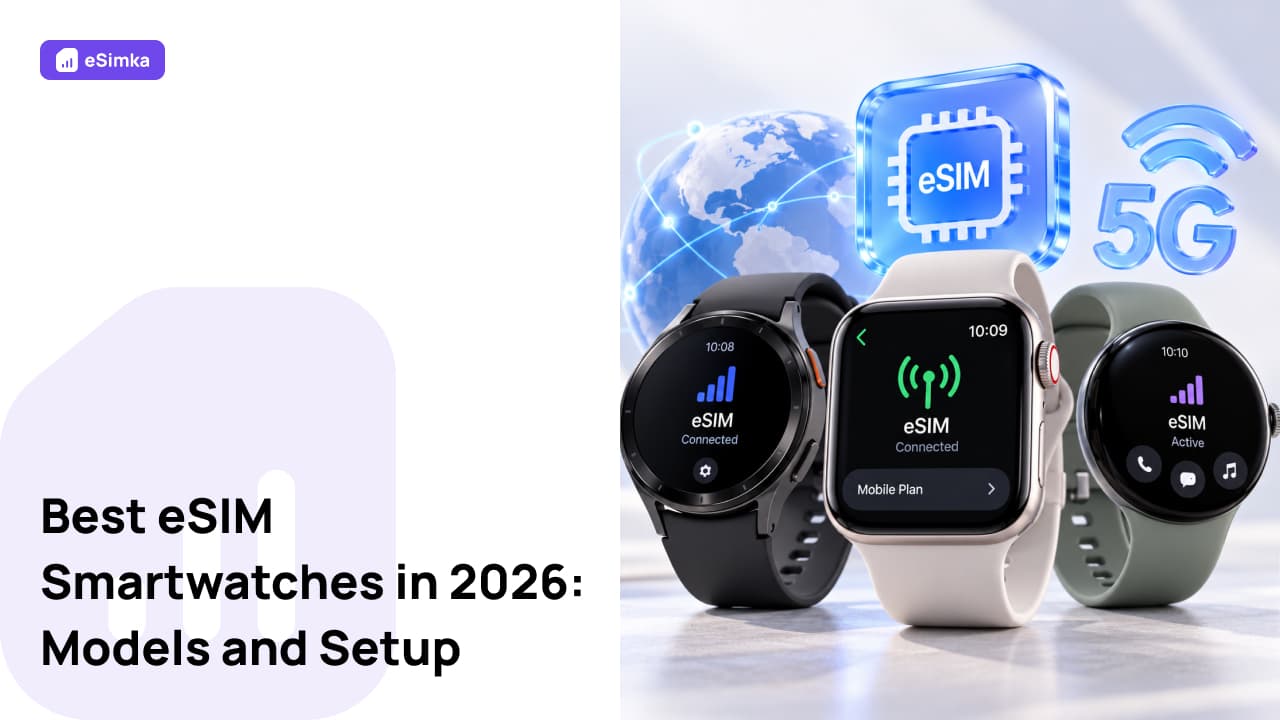
An electronic SIM is a separate miniature chip soldered directly onto the device's board instead of a physical SIM card. The module is rewritable: the required carrier data is loaded digitally — via a QR code or by syncing with a phone. Why does an active user need an eSIM in a smartwatch? It provides complete independence from a smartphone. The modem connects directly to cellular base stations: music, incoming calls, and messenger notifications work even when the phone is completely switched off.
The connection can be set up in two ways: by duplicating a number through the carrier's services or by using a separate plan. An independent profile allows the watch to connect to local mobile data abroad without paying extra for home-network roaming.
Full Catalog of Smartwatches with eSIM Support in 2026
Before buying, it is important to find out exactly how a smartwatch supports eSIM and which connectivity profiles its platform is compatible with. The modem architecture and OS limitations determine which connectivity scenarios will actually be available.
Apple Watch with Cellular for iOS Ecosystem Users
Apple installs the cellular module only in models marked GPS + Cellular. These include the current Apple Watch Series 9, Series 10, as well as the rugged Apple Watch Ultra and Ultra 2. For more budget-conscious users, the second-generation Apple Watch SE is available. Apple watches are tied to a single-number technology: they require the carrier to support profile duplication from the iPhone, which means direct manual loading of a third-party travel QR code into the device's memory remains blocked.
Samsung Galaxy Watch with LTE and Standalone Connectivity
The Korean manufacturer's devices are traditionally divided into Bluetooth versions and LTE models. eSIM support is implemented in the Galaxy Watch 4, Galaxy Watch 5, Galaxy Watch 6, as well as the flagship Galaxy Watch 7 and rugged Galaxy Watch Ultra. The Galaxy Watch 5 Pro and standard Galaxy Watch 5 models remain highly popular thanks to their high-capacity batteries. Samsung watches can work both with number duplication and with independent plans loaded through a mobile app.
Huawei Watch Line with Support for Independent eSIM Profiles
The Huawei Watch 3, Watch 3 Pro, as well as Huawei Watch 4 and Watch 4 Pro flagships offer maximum freedom when working with digital plans. The manufacturer has added a full profile manager. You can scan a QR code from any carrier through the proprietary app, store several numbers in the watch's memory, and switch between them directly from the watch screen without smartphone restrictions.
Wear OS Smartwatches: Google Pixel Watch, Xiaomi Watch and OnePlus Watch
Among other brands on the Wear OS platform, the Google Pixel Watch 2 and Pixel Watch 3 stand out with 4G LTE support. Xiaomi offers the Xiaomi Watch 2 Pro LTE, as well as the Xiaomi Watch S3 in a special version with a cellular module. The OnePlus Watch 2 also received a cellular modem in certain regional versions. These smartwatches support loading independent plans through standard Google services.
Sports and Rugged Smartwatches with Mobile Network Connectivity
Specialized sports brands use cellular modules for safety. The Garmin Forerunner 945 LTE and some rugged trackers also have the chip, but its functions are limited: the modem sends an SOS signal, transmits coordinates, and tracks activity without allowing free installation of connectivity profiles.
Operating System and Watch Compatibility: Choosing a Device for Your Smartphone
Pairing a wearable device with a smartphone imposes strict rules. There are practically no universal solutions on the market, so the ecosystem has to be considered before placing an order.
Which eSIM Smartwatches Work with iPhone
Apple smartphone owners can use only Apple Watch. Although Huawei watches or certain fitness trackers can be connected to iOS via Bluetooth, the built-in modem functions and connectivity profile loading on third-party watches will be unavailable when paired with an iPhone. Apple tightly protects its own ecosystem, keeping cellular features exclusive to its own models.
Best eSIM Smartwatches for Android
Android users have a wide range of choices. Galaxy watches work well with smartphones running Android 10 and later. Huawei and Xiaomi models work with devices from different Android manufacturers through companion apps, allowing network profiles to be quickly transferred to the watch.
Using eSIM Smartwatches While Traveling Abroad
When traveling, a wearable device takes on the role of a backup communication channel and navigator. You can leave your heavy smartphone in the hotel safe and head to the beach with a lightweight device on your wrist.
Difference Between Travel Data Plans and Local Connectivity
Local plans from mobile carriers are usually focused on voice calls and require a contract with a passport. Travel profiles offer data packages only. For wearable devices, bundled mobile data is more cost-effective: watches use data to sync email, maps, messengers, and calls over internet protocols.
Affordable Roaming and Mobile Data with eSIMka Plans
The eSIMka service offers travel plans for more than 150 countries worldwide with instant profile delivery via QR code. Payment is available with Russian bank cards, eliminating the need to find foreign payment methods. You choose a data package for the duration of your trip, activate it in two minutes, and share the internet from your smartphone to the smartwatch or set up independent access where the watch supports direct plan installation.
LTE Frequency Bands and Limitations When Using Watches in Other Countries
Compact smartwatch antennas cannot accommodate all existing global frequency bands. Manufacturers release regional versions: Europe and Asia generally use bands B1, B3, B7, B20, while the US uses B2, B4, B12, B66. If you buy a US version of the device, the cellular modem may fail to connect to a local carrier network in Europe or Asia because of LTE frequency mismatches. Always check the device revision number before buying.
Step-by-Step Guide to Installing and Activating an eSIM on a Smartwatch
The connection process depends on the device brand and its operating system. Let's look at how to set up an eSIM on watches from the main brands.
Setting Up and Loading a Profile on Apple Watch via iPhone
- Open the Watch app on the paired smartphone.
- Go to the “My Watch” tab and select “Cellular.”
- Tap “Set Up Cellular,” then follow the carrier's on-screen instructions.
- After a few seconds, the activated plan will appear in the list.
Activating an eSIM on Samsung Galaxy Watch via the Galaxy Wearable App
- Open the Galaxy Wearable app on your phone.
- In the “Watch settings” menu, find “Mobile plans.”
- Tap “Add plan,” then point the camera at the provided QR code.
- Confirm the profile download and enable mobile data in the watch settings.
Connecting a Digital Plan on Huawei Watch and Wear OS Devices
- Open the Huawei Health or Google Pixel Watch app on your smartphone.
- Go to the “eSIM management” menu or find “Mobile network.”
- Tap the profile-add button and scan the QR code.
- Confirm the profile download to the device and wait for it to connect to the network.
Criteria for Choosing an eSIM Smartwatch Before Traveling Abroad
Before buying a device for international travel, consider three basic factors:
- Battery life. In constant cellular network search and data transmission mode, the battery drains two to three times faster, so battery capacity becomes a priority.
- Supported frequencies. Make sure the device's modem works with LTE bands used by global or European standards.
- Cellular chip connection type. Check whether the model supports loading profiles from third-party carriers or works strictly together with a phone number.
Frequently Asked Questions (FAQ)
How to Check Whether a Specific Smartwatch Model Supports eSIM Technology
The presence of a modem is indicated by LTE, 4G, or Cellular markings on the factory packaging and back cover. Unlike basic Bluetooth versions, these watches have “SIM management” or “Mobile networks” sections in their menus.
Will Internet and Navigation Work on a Smartwatch if the Phone Is Turned Off or Left at the Hotel?
Yes: with an active plan, the device maintains a direct connection to mobile carrier towers. The built-in GPS and cellular modem update maps, determine your location, and receive messages without a smartphone.
Why Is It Harder to Find an International eSIM Plan for a Smartwatch Than for a Smartphone?
Many devices require a OneNumber option to clone the home carrier's number, which travel services do not support. Direct installation of data packages via QR code without linking to a phone is supported primarily by Huawei and Xiaomi watches.
Can You Store Multiple eSIM Profiles and Switch Between Them on a Smartwatch?
The device can store up to five profiles simultaneously, but only one selected plan can be active. You can switch between them directly in the watch's system settings.
Do Wear OS Watches Support eSIM?
Almost all flagship Wear OS watches with versions 3, 4, and 5 and a built-in radio module can load connectivity profiles. The available network options depend on the gadget's brand and regional firmware version.
How to Temporarily Disable or Completely Remove an eSIM Plan from the Watch's Memory
Go to “Mobile networks” on the watch screen or in the smartphone app. To pause the plan, simply disable data transmission; to erase the profile, select “Delete mobile plan” and confirm the action.