eSIM for Armenia: Internet for Your Trip Without Roaming
Learn how to choose an eSIM for Armenia, how much data you need, when to install the profile, and what to check after arrival.
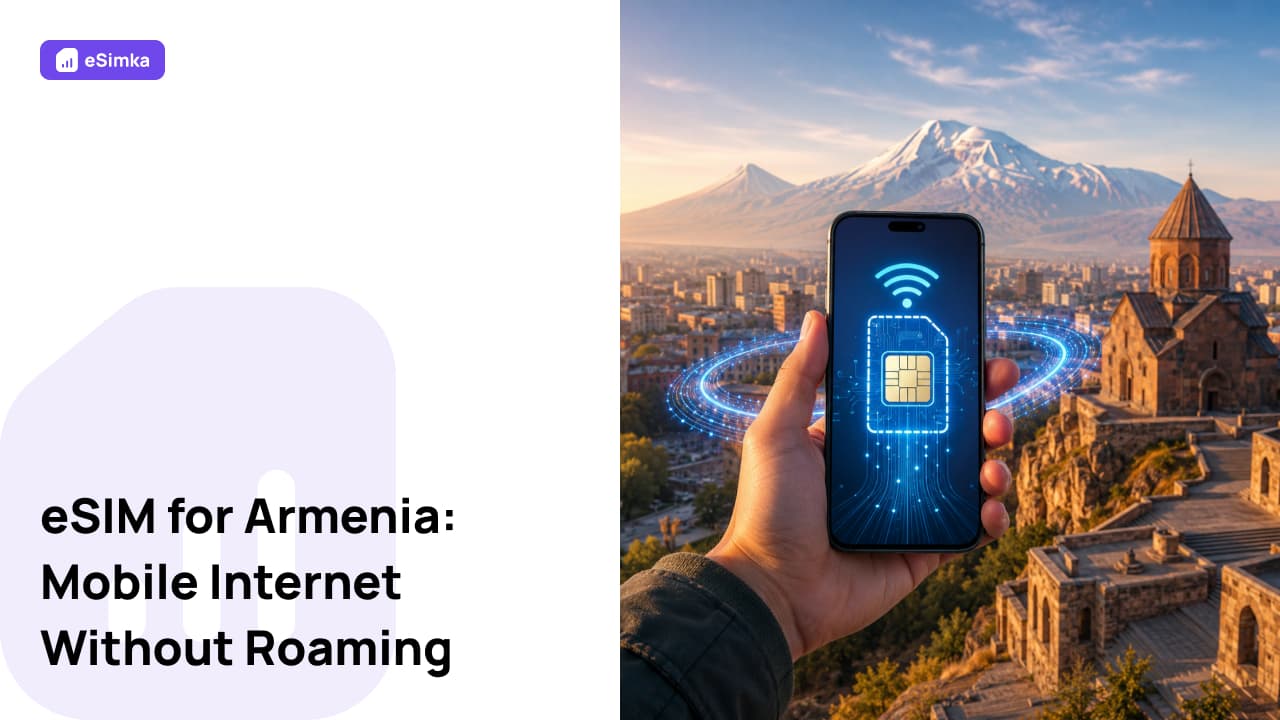
Armenia is a popular destination for vacations, business trips, remote work, and travel across the Caucasus. You may need mobile internet immediately after arrival to book a taxi, open maps, contact your hotel, check a reservation, find a restaurant, or plan a route.
To avoid searching for a local SIM card at the airport and paying expensive international roaming fees, you can set up an eSIM for Armenia in advance. After purchasing a plan, you receive a QR code or manual installation details, add the profile to your smartphone, and select the eSIM for mobile data.
Why Do You Need an eSIM in Armenia?
Mobile internet is useful almost every day when traveling around Armenia. You can use your smartphone for navigation, taxi services, accommodation bookings, checking transport schedules, messaging, and handling work-related tasks.
An eSIM allows you to prepare your mobile connection before the trip begins.
The main benefits include:
- installation before departure;
- internet access immediately after arrival;
- no need to purchase a physical SIM card;
- keeping your primary number active for calls and text messages;
- choosing a package that matches the length of your trip;
- predictable expenses without costly roaming charges;
- using one plan in different regions of the country.
This option is especially convenient for tourists, business travelers, digital nomads, and anyone planning to visit several cities in Armenia.
Where Does eSIM Work?
Travel eSIMs connect to partner mobile networks in Armenia. Coverage and connection speed depend on the provider, selected plan, and specific location.
Mobile internet is generally available in popular destinations, including:
- Yerevan;
- Gyumri;
- Vanadzor;
- Dilijan;
- Tsaghkadzor;
- Jermuk;
- Lake Sevan;
- Garni and Geghard;
- the Tatev area;
- major towns and tourist areas;
- international airports.
Connections are usually more reliable in Yerevan, Gyumri, and other major cities. Signal strength may be lower or temporarily unavailable on mountain roads, passes, in gorges, and remote settlements.
Before purchasing a plan, check which local network the eSIM uses and whether its coverage is suitable for your itinerary.
How to Choose an eSIM for Traveling Around Armenia
When selecting a plan, consider not only the price and data allowance but also your travel itinerary.
Most travel eSIMs are suitable for stays in Yerevan or journeys between major cities. If your itinerary includes mountainous regions, Syunik, Tatev, Jermuk, remote monasteries, or long trips between towns, check the partner network’s coverage in advance.
Before purchasing, pay attention to:
- which local network the eSIM uses;
- whether the plan works in the regions you intend to visit;
- whether 4G LTE and 5G are supported;
- whether hotspot tethering is allowed;
- whether speeds are reduced after reaching a certain limit;
- whether additional data can be purchased;
- whether calls and text messages are included.
The same data allowance from different providers does not guarantee the same connection quality. When traveling outside Yerevan, network coverage may be more important than a small difference in price.
Which Data Package Should You Choose?
The amount of data you need depends on the length of your trip and how actively you use your smartphone.
General recommendations:
- 1–3 GB — maps, messaging apps, email, and checking reservations;
- 5–10 GB — daily navigation, taxi apps, social media, and music;
- 10–20 GB — video calls, remote work, uploading photos, and video streaming;
- large or unlimited package — long-term stays and regular online work.
For a 7–10 day trip, 5–10 GB is usually enough for most travelers. If you plan to work on a laptop, join video conferences, stream videos, or share your connection with other devices, consider a package with at least 10–20 GB.
When selecting a plan, also check:
- the validity period;
- available connection speed;
- whether there is a daily limit;
- the conditions of unlimited plans;
- hotspot support;
- whether the package can be extended.
Most international travel eSIMs for Armenia provide mobile data only and do not include an Armenian phone number.
eSIM or a Local SIM Card?
An eSIM is more convenient when you need internet access immediately after arrival and do not want to spend time searching for a mobile carrier store.
The main benefits of a travel eSIM include:
- online purchase;
- installation before your trip;
- no need to replace your physical SIM card;
- quick connection after arrival;
- keeping your primary number active;
- knowing the package price in advance.
A local SIM card may offer better value for long-term stays, heavy mobile data usage, or when you need an Armenian phone number for calls and registration with local services.
For a short vacation or business trip, an eSIM is usually the simpler option. For a stay lasting several months, compare travel eSIM packages with plans from local mobile operators.
When Should You Install and Activate an eSIM?
It is recommended to install your eSIM before the trip while your smartphone is connected to stable Wi-Fi. This allows you to confirm that the profile has been added correctly and appears in your device settings.
Installation and activation may happen at different times. Depending on the provider, the validity period may begin:
- immediately after the profile is installed;
- after the first connection to a network in Armenia;
- on a date selected during purchase.
Always review the activation conditions before adding the eSIM.
Before your trip:
- Check whether your smartphone supports eSIM.
- Save the QR code and installation instructions for offline access.
- Install the profile on your device.
- Rename it, for example, “Armenia.”
- Do not delete the eSIM after installation.
- Check whether data roaming must be enabled.
- Save the provider’s customer support details.
After arrival, select the eSIM for mobile data and wait for the device to connect to a local network.
How to Install an eSIM on iPhone
You will need an internet connection and the QR code provided by the eSIM provider.
Follow these steps:
- Open Settings.
- Go to Cellular or Mobile Data.
- Tap Add eSIM.
- Select Use QR Code.
- Scan the QR code.
- Confirm that you want to add the cellular plan.
- Give the profile a clear name.
- Open Cellular Data.
- Select the installed eSIM.
- Enable data roaming if required by the provider.
Your primary SIM can remain active for calls and text messages. To avoid charges from your home carrier, make sure the travel eSIM is selected for mobile data.
It is also recommended to disable automatic cellular data switching between SIM cards.
How to Install an eSIM on Android
Menu names may vary depending on the smartphone manufacturer and Android version.
The general installation process is as follows:
- Open your device settings.
- Go to Connections, Network & Internet, or SIM Cards.
- Select Add eSIM.
- Scan the QR code.
- Confirm the profile download.
- Select the eSIM for mobile data.
- Enable data roaming if required by the instructions.
- Restart the smartphone if necessary.
On Samsung devices, the relevant settings are usually found under SIM Manager. On Google Pixel phones, they are typically located under Network & Internet.
What to Do If the Internet Is Not Working
If mobile internet does not work after arrival, check your smartphone settings first.
Make sure that:
- the eSIM profile is enabled;
- mobile data is turned on;
- the eSIM is selected for mobile data;
- data roaming is enabled if required;
- Airplane Mode is turned off;
- the plan has already been activated;
- the validity period has not expired;
- your data allowance has not been used up.
Enable Airplane Mode for 20–30 seconds and then turn it off. If the connection still does not appear, restart your smartphone.
Some plans require manual APN configuration. In this case, open the mobile network settings and enter the details provided in the installation instructions.
If automatic network selection does not work, disable it and try connecting manually to one of the supported mobile operators.
If there is no signal in a mountainous or remote area, the issue may be related to network coverage rather than the eSIM settings. Check the connection again after returning to a populated area or main road.
Frequently Asked Questions
Can I install an eSIM before my trip?
Yes. It is best to install the profile in advance while connected to stable Wi-Fi. Before adding the eSIM, check when the plan’s validity period begins.
Do I need a passport to buy an eSIM?
A passport is usually not required for most international travel eSIMs. The purchase and profile delivery process takes place online. Identification may be required when purchasing a plan directly from a local mobile operator.
Does eSIM work immediately after arrival?
Usually, yes. Turn off Airplane Mode, enable the eSIM, select it for mobile data, and activate data roaming if required.
Does one eSIM work throughout Armenia?
Usually, one plan works across the country wherever the partner network provides coverage. Connection quality depends on the region, terrain, and mobile operator.
Does eSIM work in the mountains?
Mobile service may be available in popular tourist towns and along major roads. Coverage may be unstable in gorges, on mountain passes, and in remote mountainous areas.
Can I make calls with a travel eSIM?
Most travel plans provide mobile data only. You can make calls through Telegram, WhatsApp, FaceTime, and other internet-based apps. Check the package description to see whether regular calls and an Armenian phone number are included.
Can I share the internet through a hotspot?
Many plans support hotspot tethering. However, the provider may restrict data sharing, speed, or the available data allowance, so check the conditions before purchasing.
What should I do if I run out of data?
Open the provider’s app or account dashboard and check whether a top-up is available. If the package cannot be extended, you will need to purchase another plan.
Can I use an eSIM together with a physical SIM card?
Yes. Most modern smartphones support using a physical SIM card and an eSIM simultaneously. Your primary number can remain active for calls and text messages, while the eSIM provides mobile internet in Armenia.